Sell the Dream, not just the land.

Empty land is hard to sell because buyers cannot imagine the potential. Listing Wand adds structures or seasonal context to your listing photos in minutes.
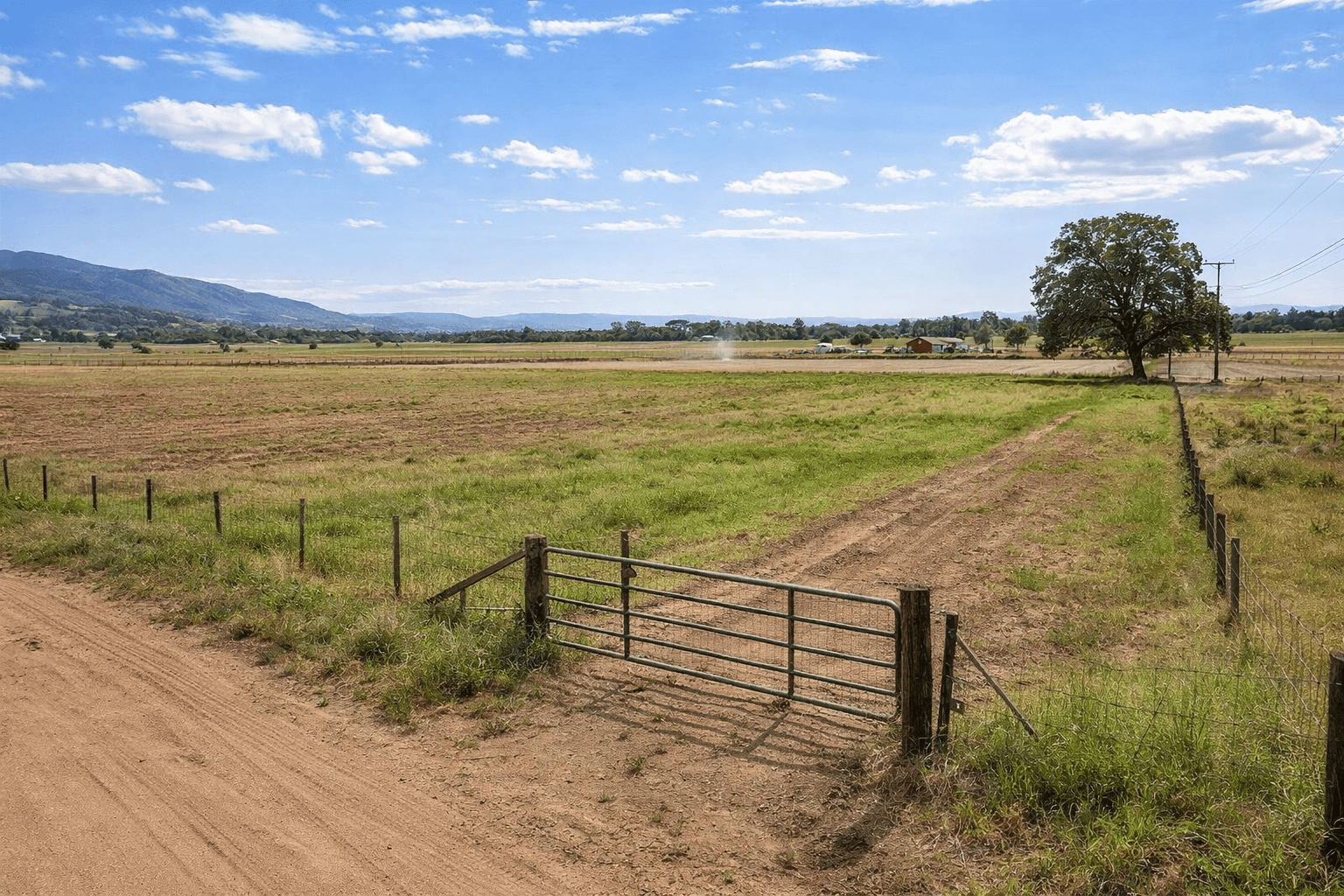
Before: empty land listing
Before
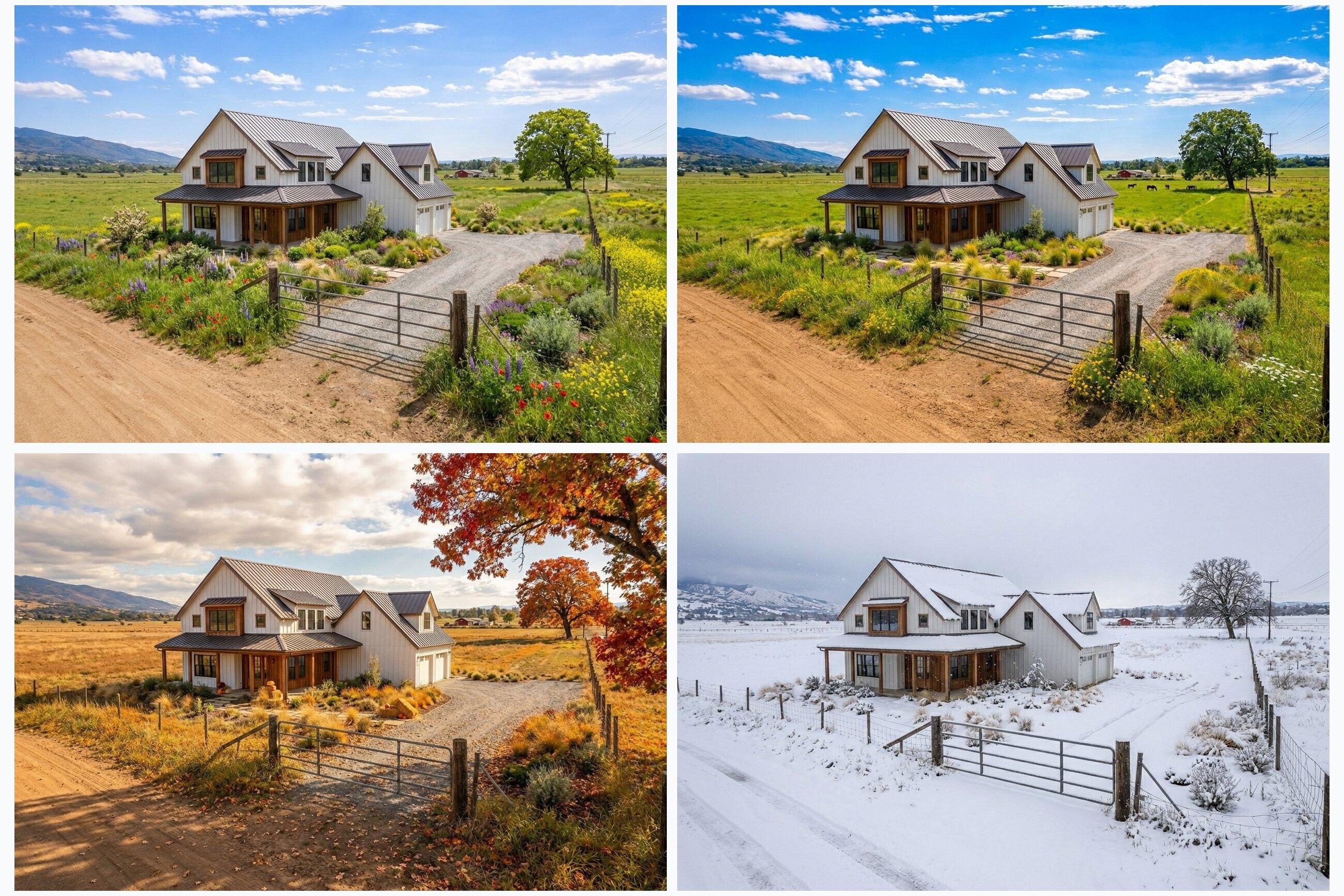
All Four Seasons: spring, summer, fall, and winter listing visuals.
After

See how it works in under a minute.

Run the guided demo (no signup) and watch a structure concept appear on a real land photo. When you're ready, choose a plan to start uploading your own images.

About

AI listing visuals for vacant land and acreage

Listing Wand is an AI-powered visual studio for vacant land and acreage listings. Upload a land photo and generate photorealistic concept visuals that help buyers picture the potential. It is a practical way to create what-it-could-be images without ordering a full architectural rendering package.

Designed for people who sell land, from solo sellers to growing teams, Listing Wand helps you answer the buyer's biggest question: What could I do with this property? Start with one original photo and create after images like cabins, homes, glamping sites, or subdivision concepts. You can also generate seasonal versions of the same scene, including a full four seasons set.

Show the vision

Add a structure concept that fits the property, like a modern home, rustic cabin, lodge, or glamping layout.

Show the season

Generate spring, summer, fall, or winter versions so buyers can picture the land in the season that matters most.

Stay fast and consistent

Start with one photo, create multiple listing visuals, and choose the version that tells the clearest story.

Land Guides

Free guides to help your land listings rank and convert

Get practical playbooks for land pricing, comps, listing copy, buyer due diligence, and marketing execution.

FAQs

Answers for people selling vacant land

These are the most common questions about AI virtual staging for land, vacant land listing visuals, and photorealistic concept renderings. If you sell land and acreage, this is where Listing Wand fits into your marketing workflow.

What is Listing Wand?+
Listing Wand is an AI-powered visual studio for vacant land listings. Upload a land photo and generate photorealistic concept images that help buyers picture the potential.
Who is Listing Wand for?+
Listing Wand is for people who sell land: individual sellers, investors, and teams.
Is Listing Wand virtual staging for land?+
Yes. Listing Wand works like virtual staging for land. Instead of staging furniture inside a room, you visualize what the land could become with structures, landscaping context, and seasonal mood.
What can I generate?+

You can generate structure concepts, seasonal variants, and multiple options per run.

  • Structure concepts such as a modern home, farmhouse, cabin, glamping site, subdivision concept, or solar farm
  • Seasonal variants for spring, summer, fall, and winter
  • Multiple outputs so you can pick the best result

Higher plans also unlock Custom Structures and Smart Season (location-aware seasonal edits).

Can I generate all four seasons from one photo?+
Yes. You can generate a full four-season set from one land photo. This helps your listing visuals match the buyer mindset, whether they picture summer weekends or care about winter access and views.
How does Listing Wand work?+
  1. Upload a land photo (JPG, PNG, WebP, or AVIF)
  2. Choose Structures or Seasons
  3. Pick a template and set your options (photo type + scale, when applicable)
  4. Choose how many options to generate (1 to 4)
  5. Generate, review, and download (single images or a ZIP)
What kinds of land photos work best?+
  • Clear, well-lit photos with a visible horizon
  • Minimal motion blur and limited heavy filtering
  • A view that shows the likely build area, such as a clearing, flat pad, driveway, or open field
Will the results look realistic?+
Listing Wand aims for photorealistic results. Output quality depends on the original photo, including lighting, angle, and resolution, plus the concept you choose. Generating a few options and picking the most convincing version usually produces the best marketing image.
Do you add a watermark or disclosure?+
Watermarks are optional. You can apply an "Artist Rendering" watermark to your downloads. Pro+ plans can customize the watermark text, and Team+ plans can also add a logo with custom branding. You should still follow your local MLS and advertising rules and disclose that images are virtually generated when required.
Do I need an account?+
Yes. An account lets Listing Wand track your plan, Magic Generations, and generation history (for your plan's retention window), so you can return to past results and manage billing in one place.
How does pricing work?+
Listing Wand offers monthly and annual plans. Each plan includes a set number of Magic Generations (credits) per billing cycle, and each generated image uses 1 Magic. You can also buy one-time top-offs anytime you need more. You can review plan details on the Plans page.
Does Listing Wand guarantee build feasibility or permitting?+
No. Listing Wand images are marketing concepts, not engineering documents. Always confirm zoning, utilities, setbacks, access, and permitting with the appropriate local authorities.
Can I use Listing Wand images in MLS listings and ads?+
In many cases, concept visuals can be used if they are properly disclosed, but rules vary by MLS and market. Always follow your local MLS and advertising requirements and include clear virtual or artist rendering disclosure where needed.

Ready to use Listing Wand on your next listing?

Compare plans to unlock uploads, credit packs, and generation history. Or run the guided demo first to see the workflow without signing up.